
A cellar, properly kept.
Cellar Schematic is the app for collectors who take their wine — and their privacy — seriously.
The essentials
Built around how you actually keep your cellar
Every bottle in your cellar arrived through your judgement. Logging it shouldn't take more than a moment. Whether you scan the label, type it in, or bring across records you already keep, The Cellar Schematic identifies the wine and files it where it belongs.
Add
Add
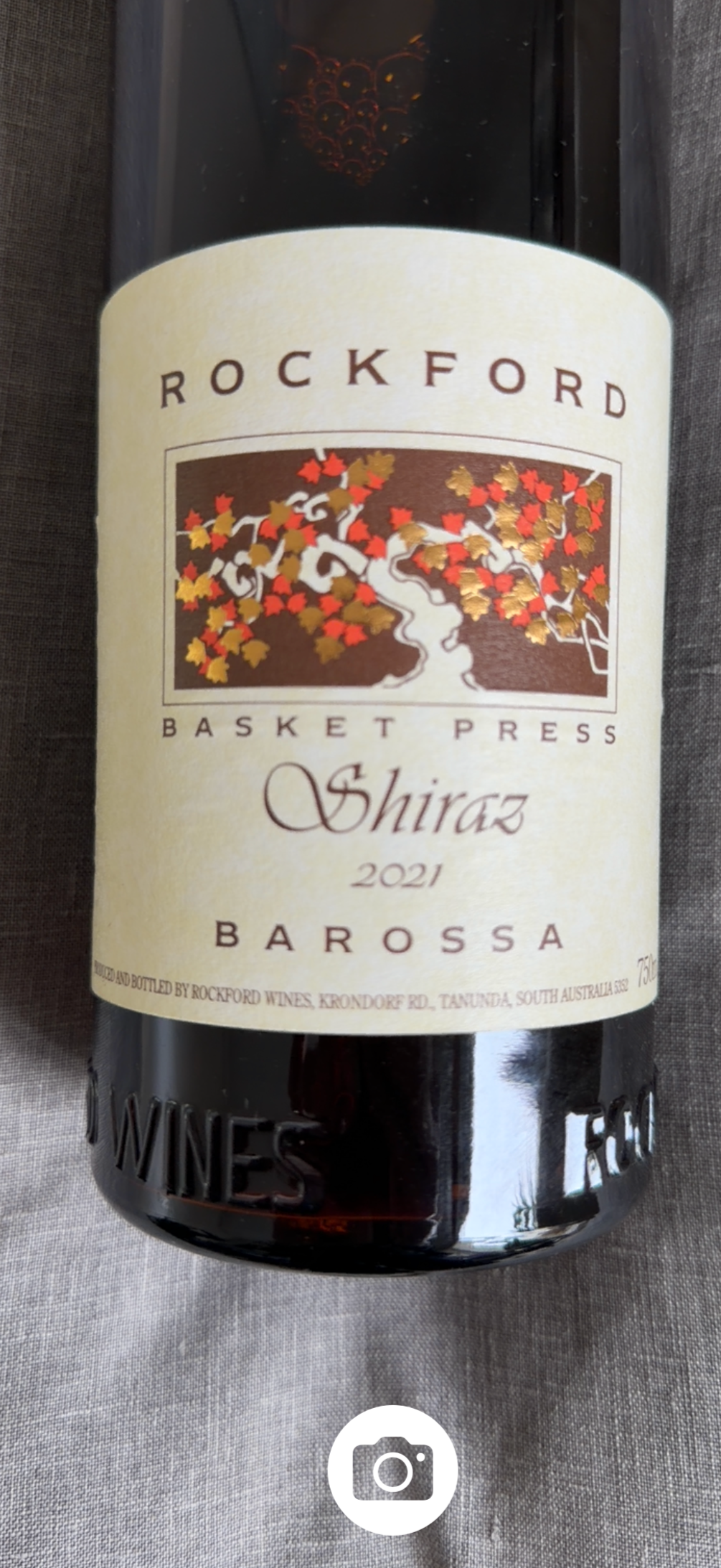
Frame the label and tap. On an iPhone or iPad that supports Apple Intelligence, the app reads the bottle on the device itself — producer, wine, vintage, region, appellation, grape and alcohol — with nothing connected and no key. The photograph never leaves your device. Review, edit, save. On earlier Apple devices, label reading uses your own OpenAI account.
On Android, scan a label with no account and no key — the photograph never leaves your phone. The camera reads the vintage, grape, alcohol and region on its own, and recognises producers already in your cellar.
Or type it in — no bottle required
For wine delivered straight to storage or bought en primeur: tap + and type the producer, wine and vintage. Where Apple’s private cloud is available, that’s enough — the region, grape and colour are filled in for you, at no cost to you. Every field stays editable either way.
On Android, typing a wine in uses your own OpenAI account to complete it.
Already keeping records? Bring them across
Import a Vivino or CellarTracker export and the collection arrives whole — bottles, vintages, drinking windows and notes, along with where each one is stored when your export carries it. Import again later and the app recognises what it already holds, so nothing arrives twice.
Refine & save
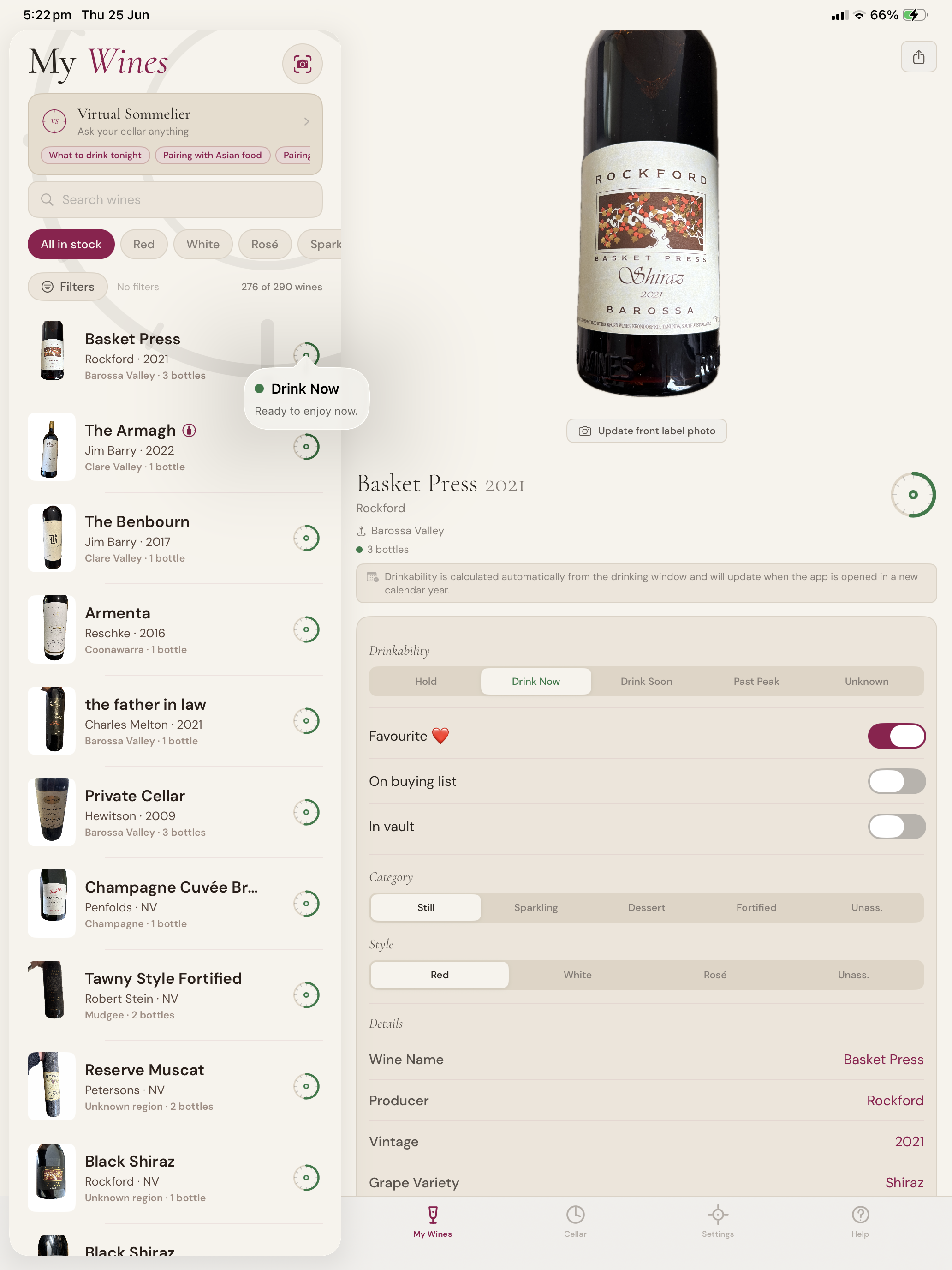
Nothing is saved until you say so. Adjust what the AI proposes; add the notes that matter to you; commit when it’s right.
Share
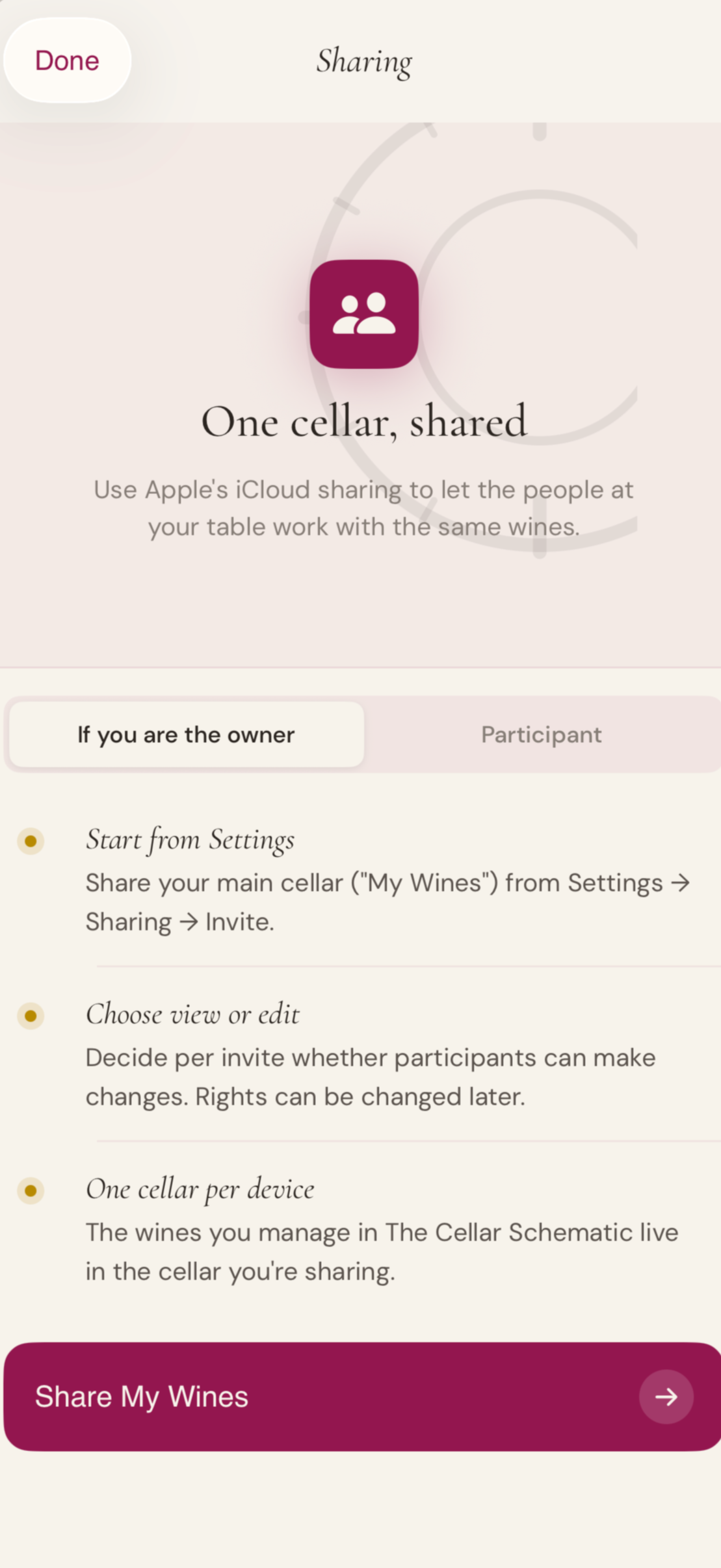
Invite a partner, a collaborator, a sommelier. Sharing is built in on iPhone and iPad, with the controls you would expect.
Cellar sharing is not available on Android.
No app subscription · Your cellar stays in your own hands — iCloud on Apple devices, on-device on Android · AI features are optional and use your own OpenAI account
Your Virtual Sommelier
A second opinion, always at hand.
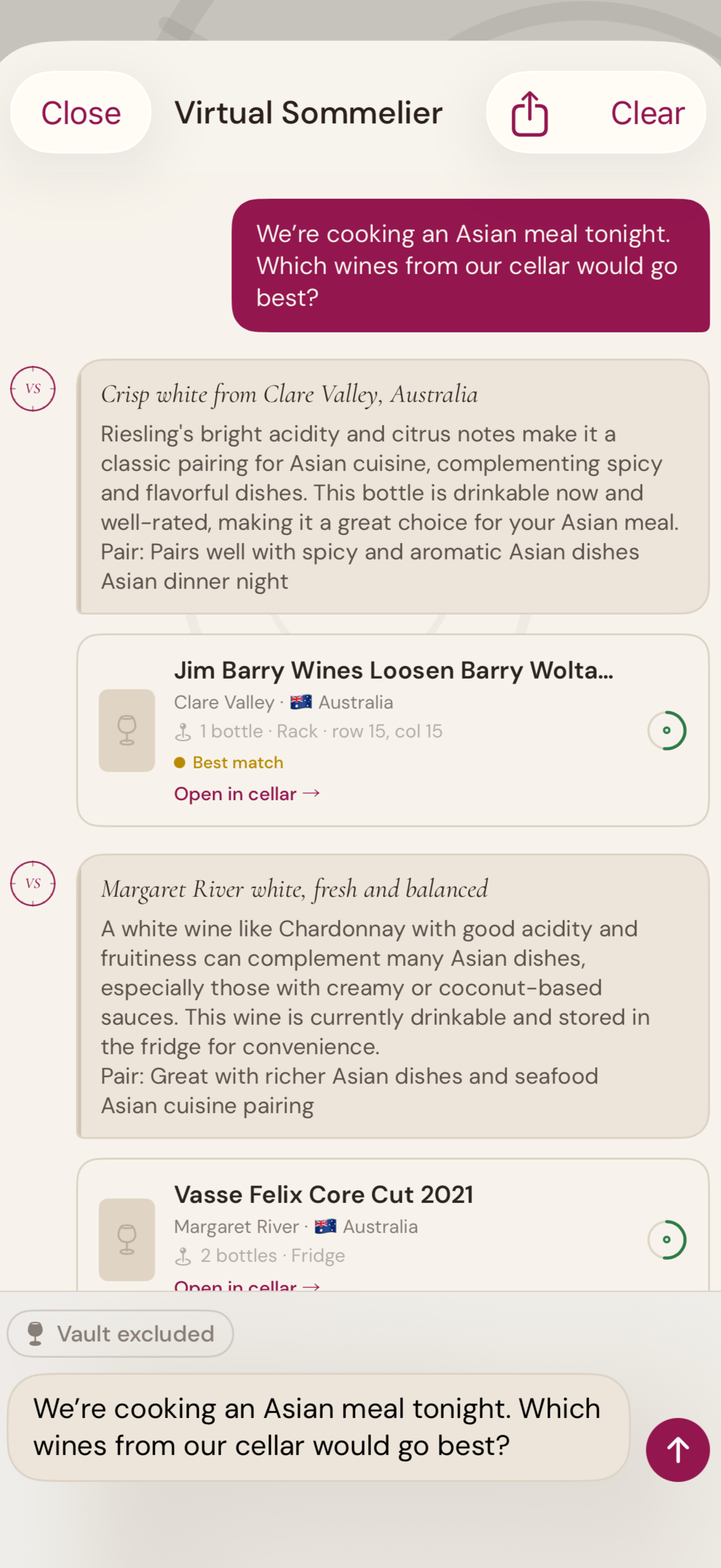
Match wines to a dish, a course, or an evening
Explore your cellar the way you explore a wine list
surface bottles you’d forgotten you owned
Reach for the right bottle, not the nearest one
Share the recommendations
“It’s one thing to own the wine. It is another to remember it at the right moment.”
The Virtual Sommelier knows what you have. Tell it what you’re cooking, the occasion, the company — it walks your own cellar and proposes the bottles that will pair best. Not a suggestion from a database. A suggestion from your own collection.
Know where to buy your wine
Find retailers near you, source your buying list in one sweep, and pick out an alternative when the bottle you came for is sold out — all from inside your cellar book.
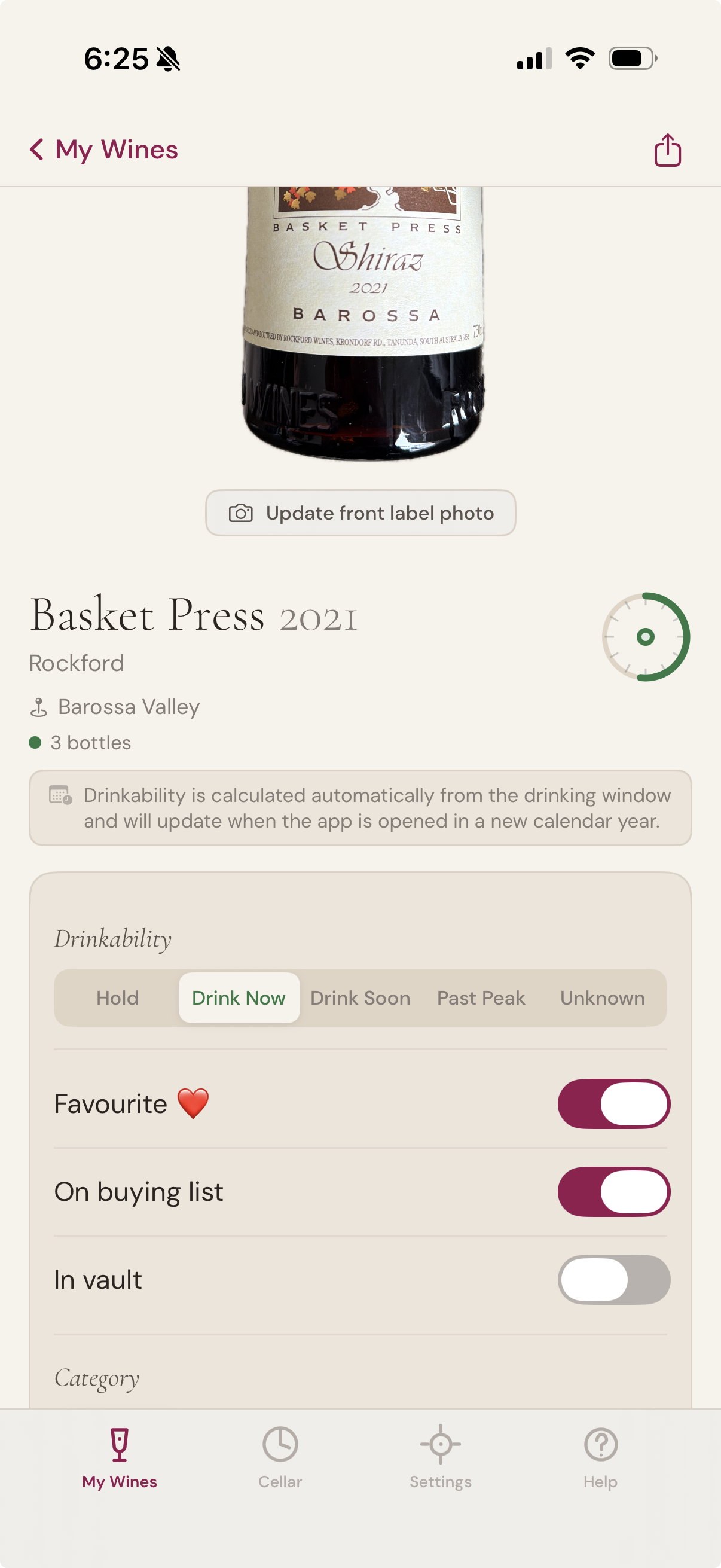
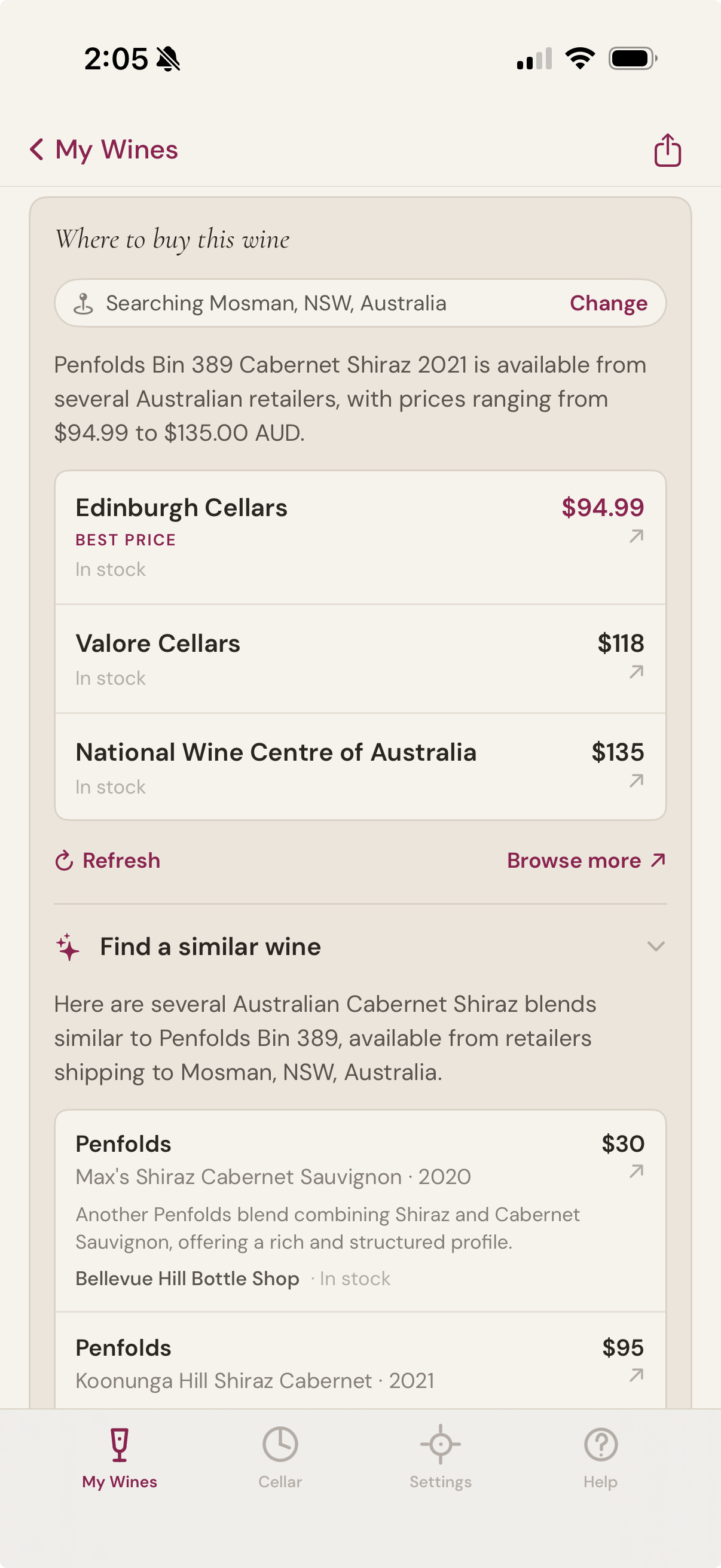
Where to buy this wine
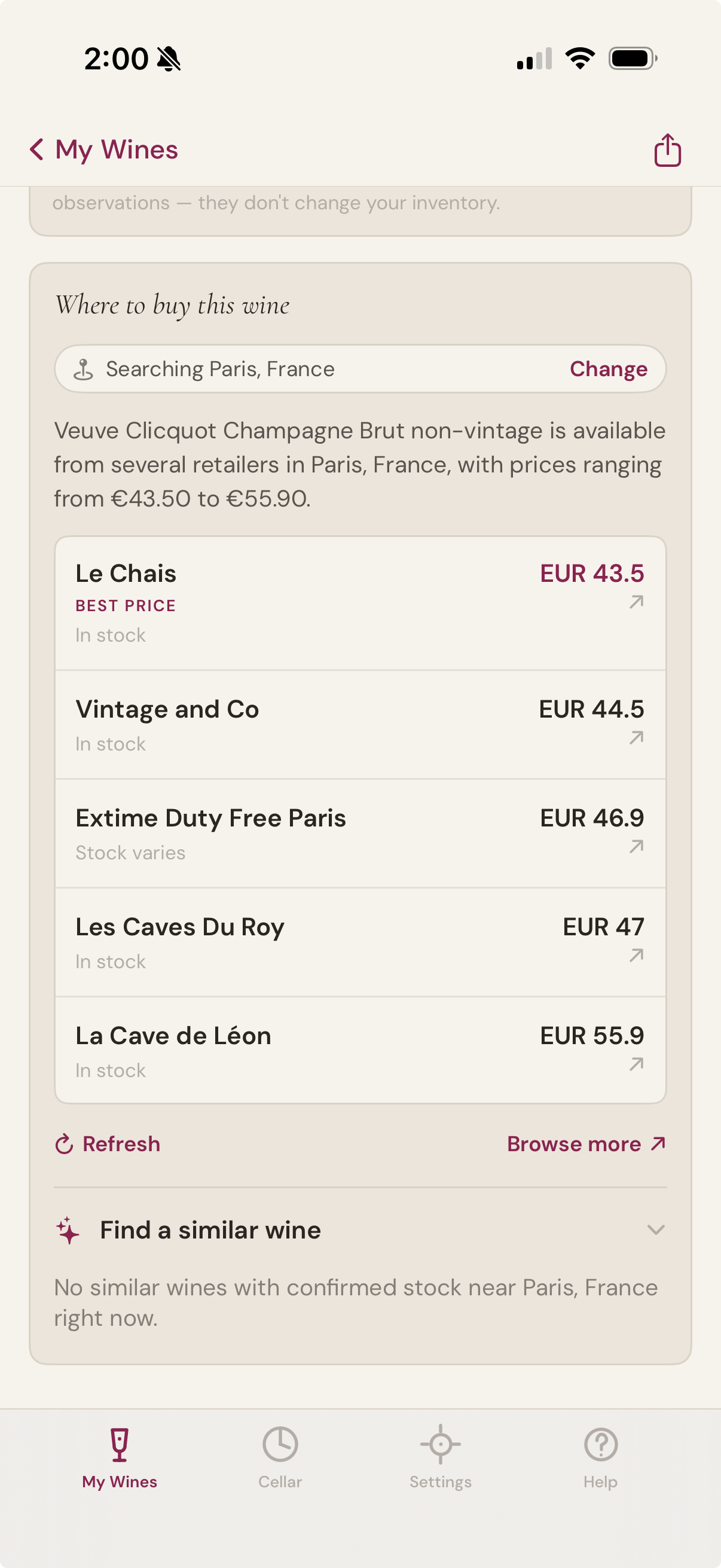
Open any bottle in your cellar and ask where to buy more. The app finds current retailers near you, with live prices in your local currency, and calls out the best one. Tap a retailer to open their product page in an in-app browser — no Safari tabs piling up, no leaving the app.
If the wine isn't currently available locally, the panel may show alternative-vintage matches with the year clearly labelled — so you can see at a glance whether the 2021 you wanted has slipped into 2019 stock at one retailer, or whether you should look elsewhere entirely.
A similar wine when you need one
Sometimes the bottle you came for has sold out. Sometimes you want to explore something with a similar character. The similar-wine block suggests alternatives grounded in the wine you're looking at — same producer reputation, same region, same grape — and only surfaces ones with confirmed stock at retailers nearby.
Each suggestion comes with a one-line note explaining why it's similar, so you can tell at a glance whether it's the right substitute for tonight, or for the cellar.
The buying list
Flag any bottle you'd like to acquire. The Buying List is a simple toggle on the wine detail screen, alongside Favourite and In vault. Turn it on and the wine appears in a dedicated filter on My Wines, ready to be sourced when you're shopping.
The flag is about intent, not inventory. Wines on your buying list don't have to be in stock — most of them won't be. A wine can sit there for months while you watch for a vintage release; it can come on and off the list as your priorities shift.
From one bottle to the whole list
Source many wines from one or two retailers, in your local currency, with the optional AI you bring yourself.
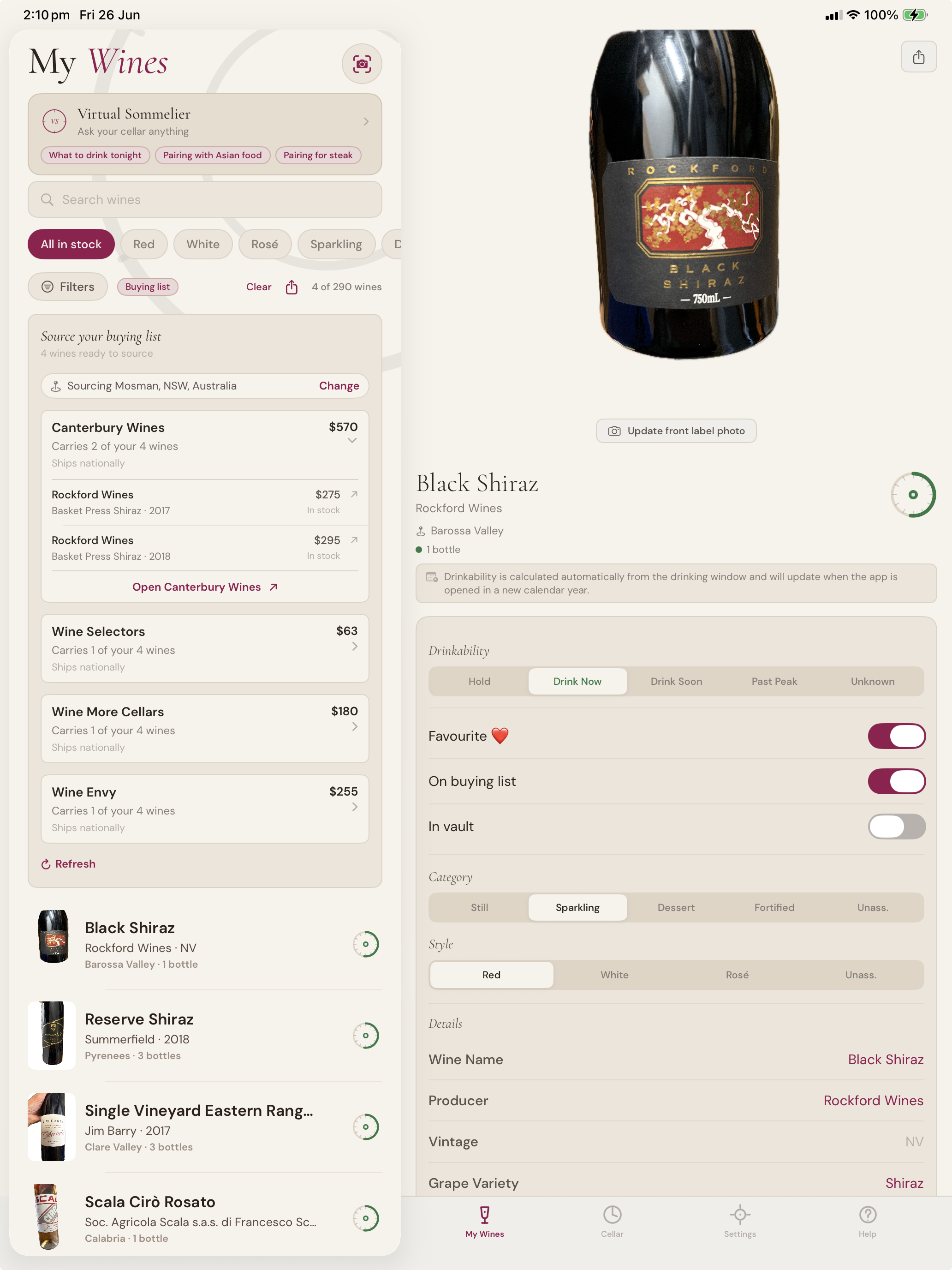
Sourcing the list
When you've got a buying list going, the app can find one or two retailers near you that carry as many of the wines as possible — so you make one order or one trip instead of six.
Each retailer expands to show which of your wines they have, in what quantity, and at what price. Tap any wine to open the retailer's product page for that specific bottle. The app ranks retailers by how many of your wines they carry with stock, so the most efficient sourcing path is always at the top.
Eighteen currencies, your local market
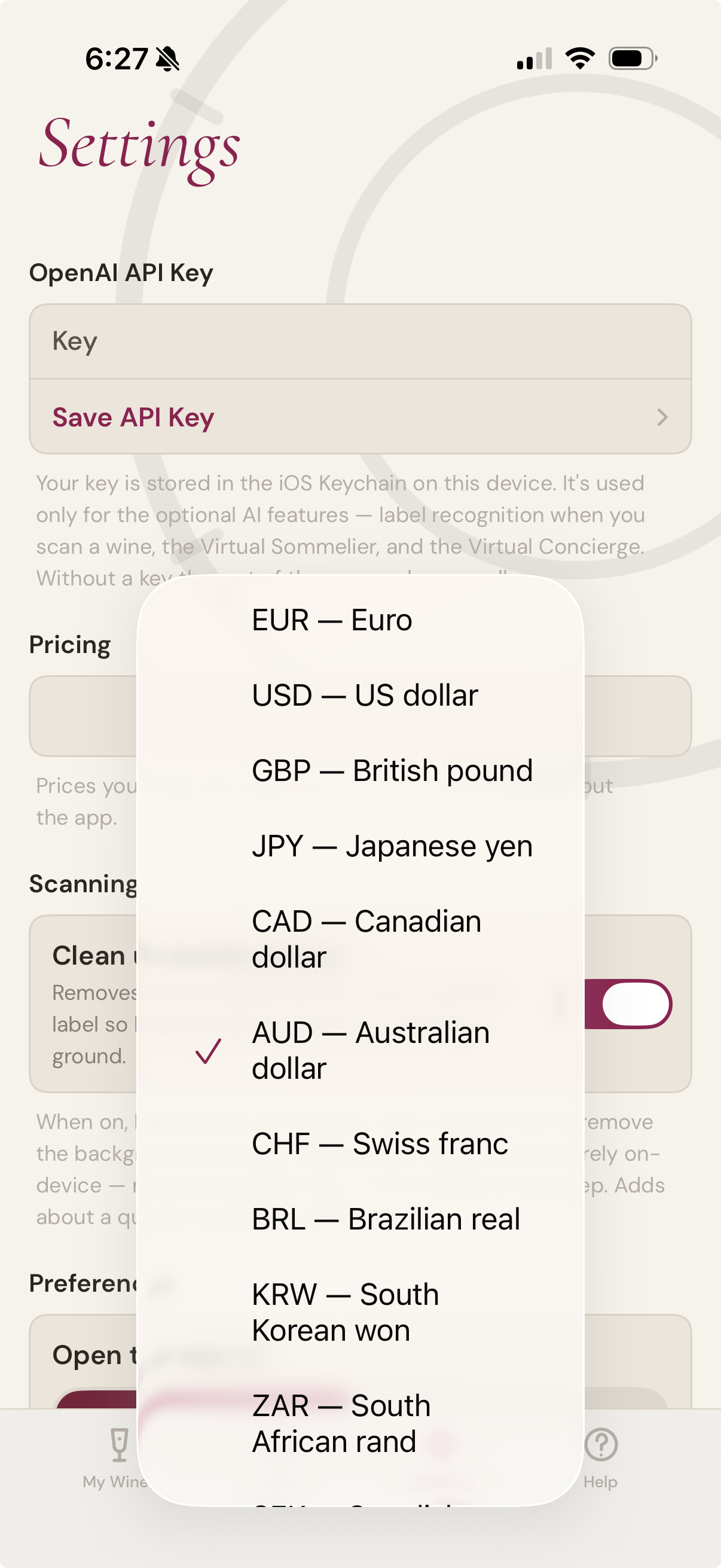
Wine has a country. So does its price. The buying features speak EUR, USD, GBP, JPY, CAD, AUD, CHF, BRL, KRW, ZAR, SEK, INR, MXN, DKK, HKD, SGD, NZD, and NOK — and use your device region to pick a sensible default the first time you open the app. Prices from retailers quoting other currencies are discarded rather than converted, so what you see is what a retailer in your market would actually charge
Optional AI
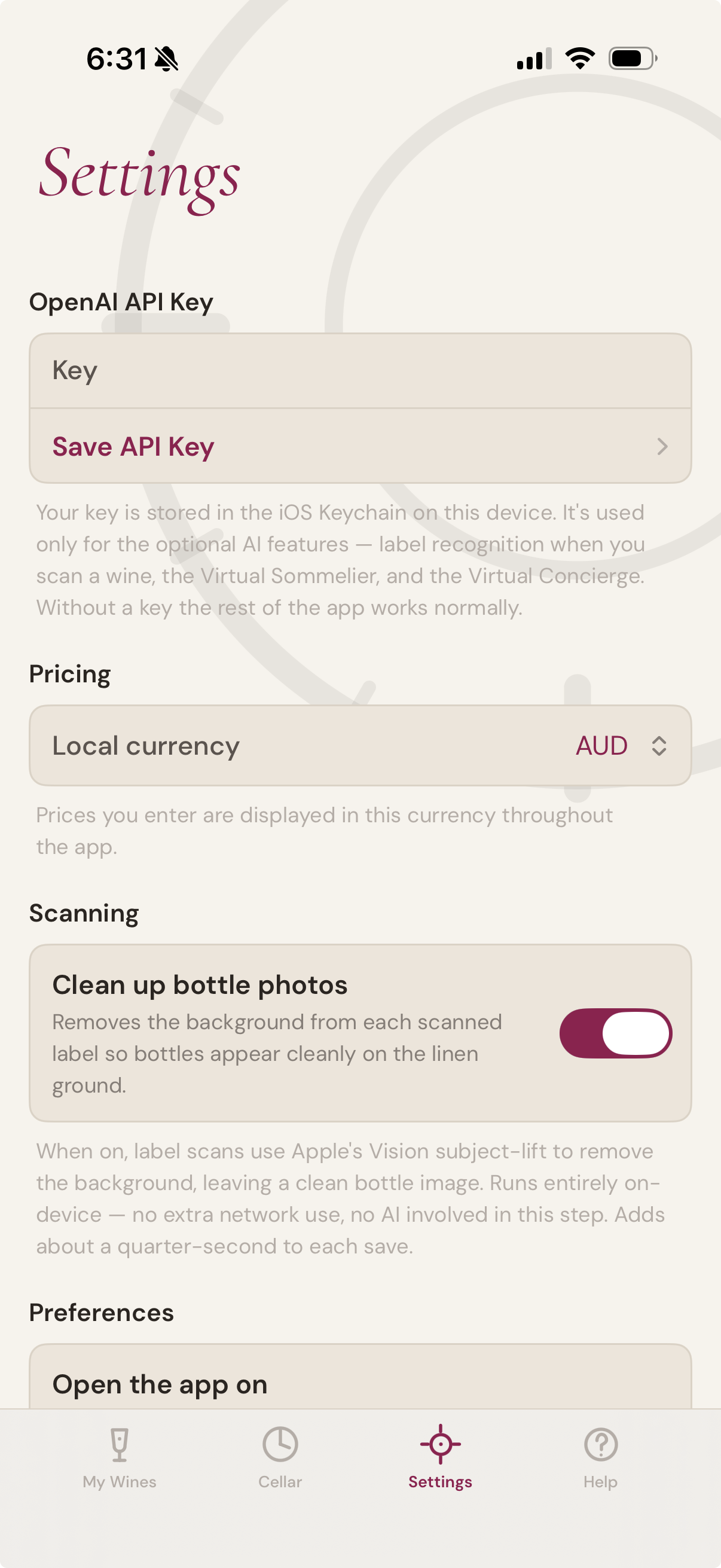
The buying features are AI-assisted. Connect your own OpenAI account in Settings to enable them. The rest of the app — cellar management, drinking windows, the Schematic, sharing, search, filters, and imports — works without an AI connection.
The view
Four ways to see one cellar

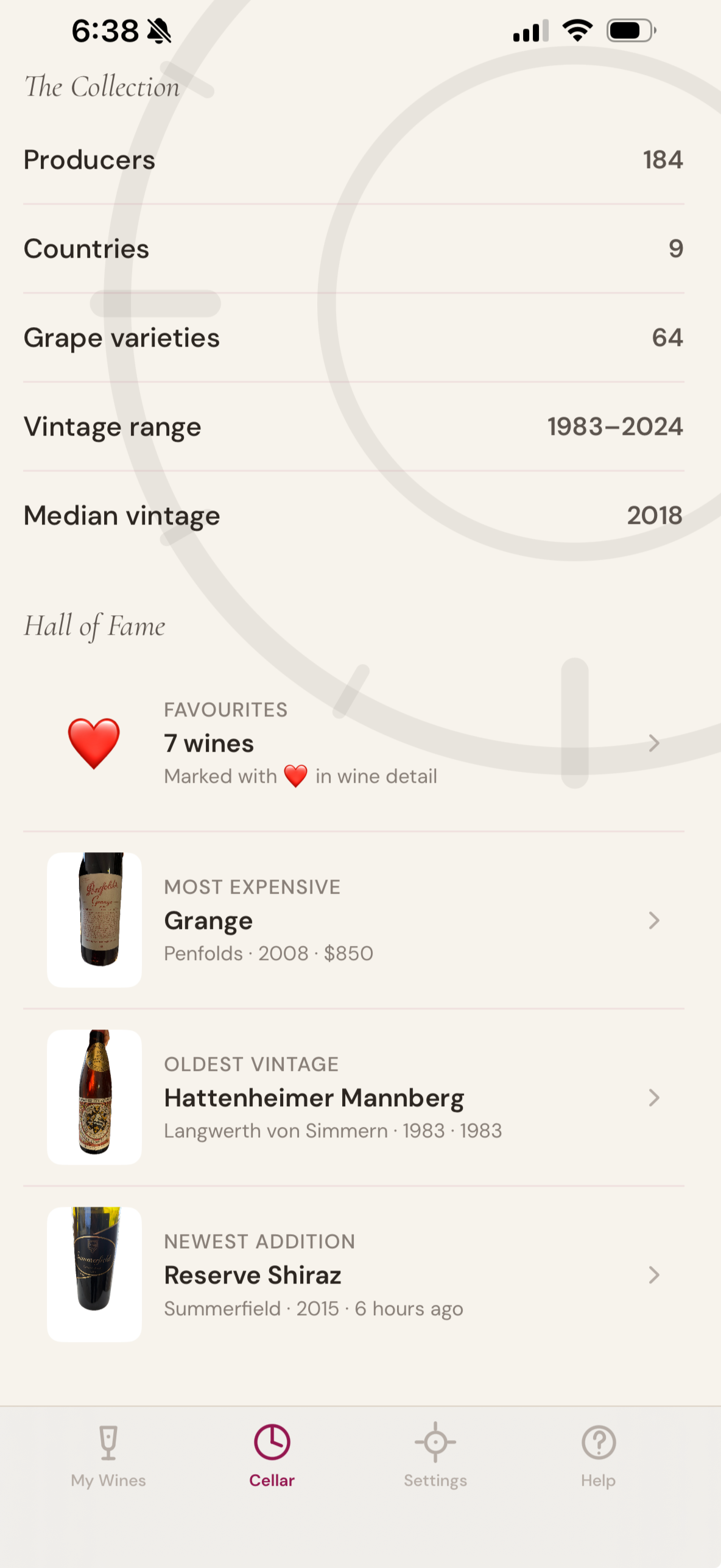
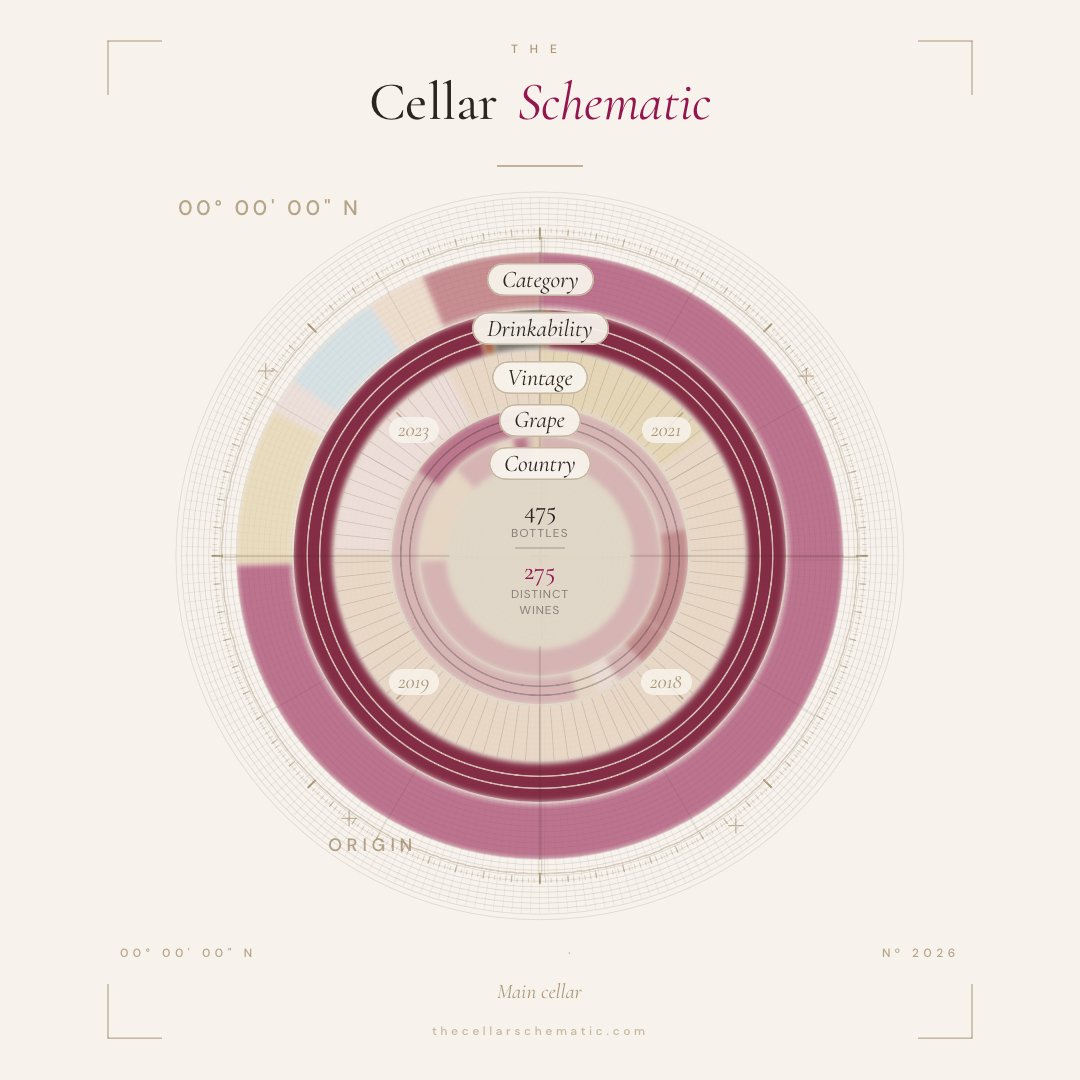
A serious cellar deserves more than a list. The Cellar Schematic gives you four views of the same collection: the drawing that renders the whole of it, the list you work from, the plans that show where every bottle lies, and the map that shows where it all comes from. Each redraws itself as the cellar changes — and each leads into the others.
Custom schematics
The signature drawing renders the whole cellar. A custom schematic renders a chosen part of it — your Pinots, your Champagnes, the wines you opened one evening. Choose up to five criteria: category, grape, region, country, drinkability, price, storage area, the vault, even a single date. Name it, and it sits beside the cellar's own drawing.
Each one is a saved definition, not a picture. It redraws every time you open it, so it keeps pace with the cellar as bottles are poured, wines arrive, and vintages move through their windows. Share any of them; each carries its own reference number.
Beautiful enough to share. Honest enough to plan from.
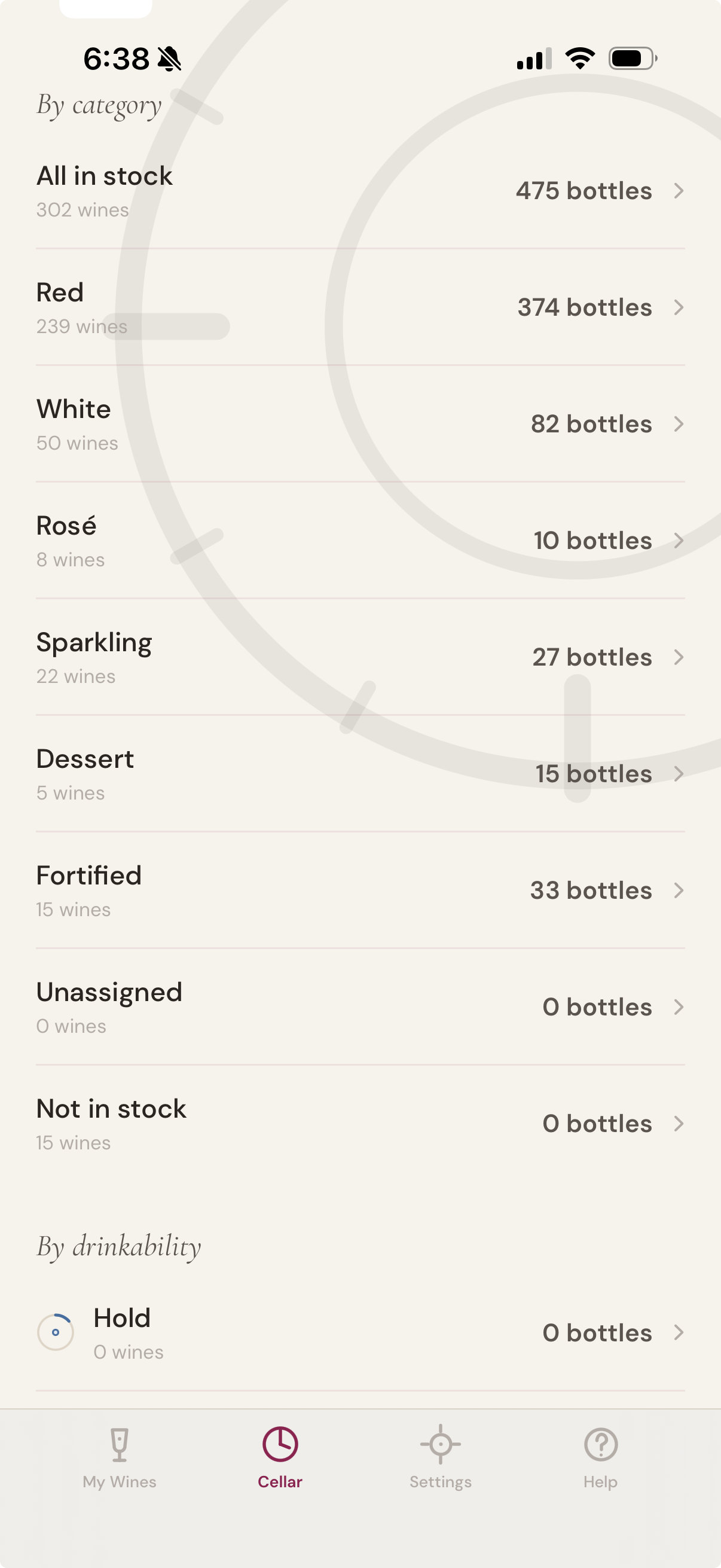
The list refined.
Filter by region, vintage, producer, drink window, location. See what’s ready, what’s holding, what’s slipping past peak. Sort with one tap; act on what you see.
Drawn to plan
See where every bottle lives
Tap the bottle
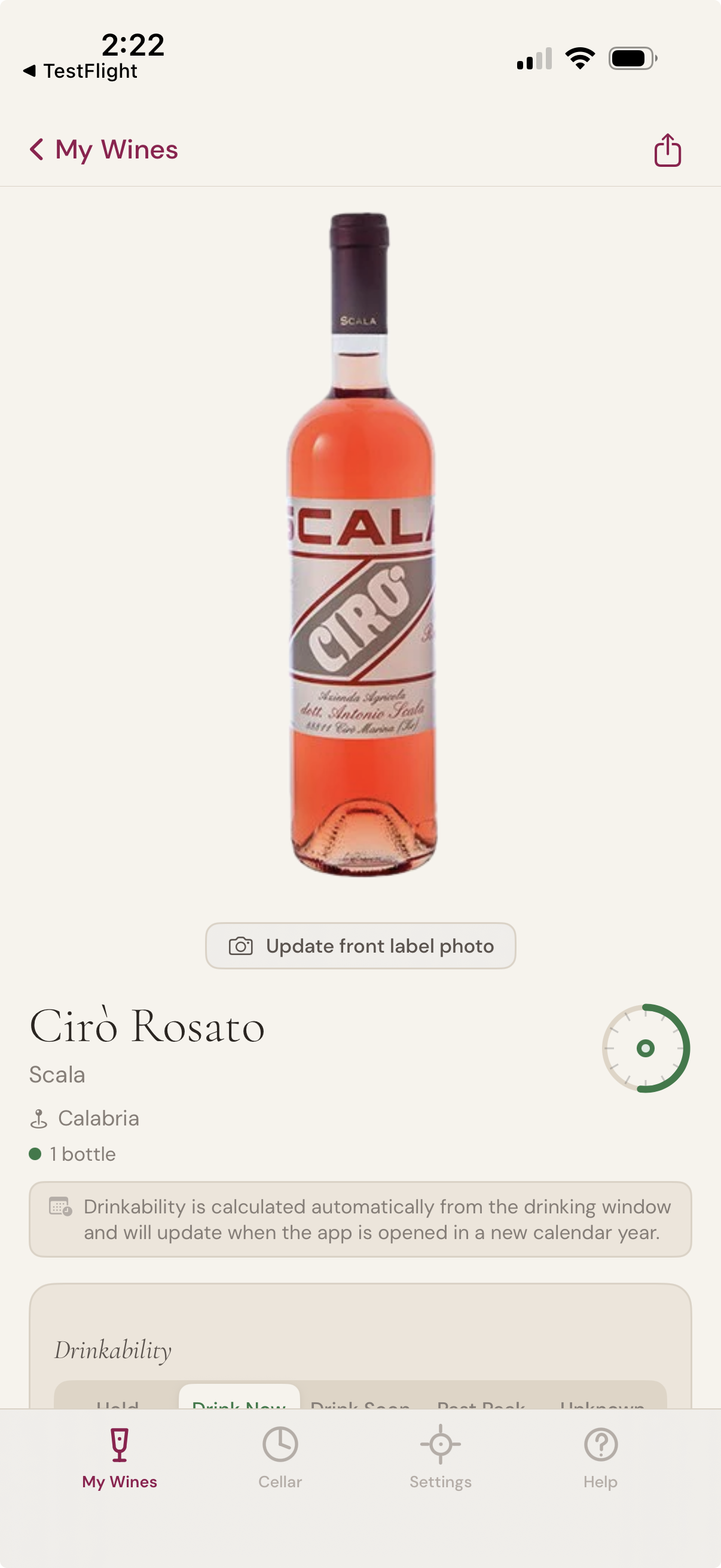
See it
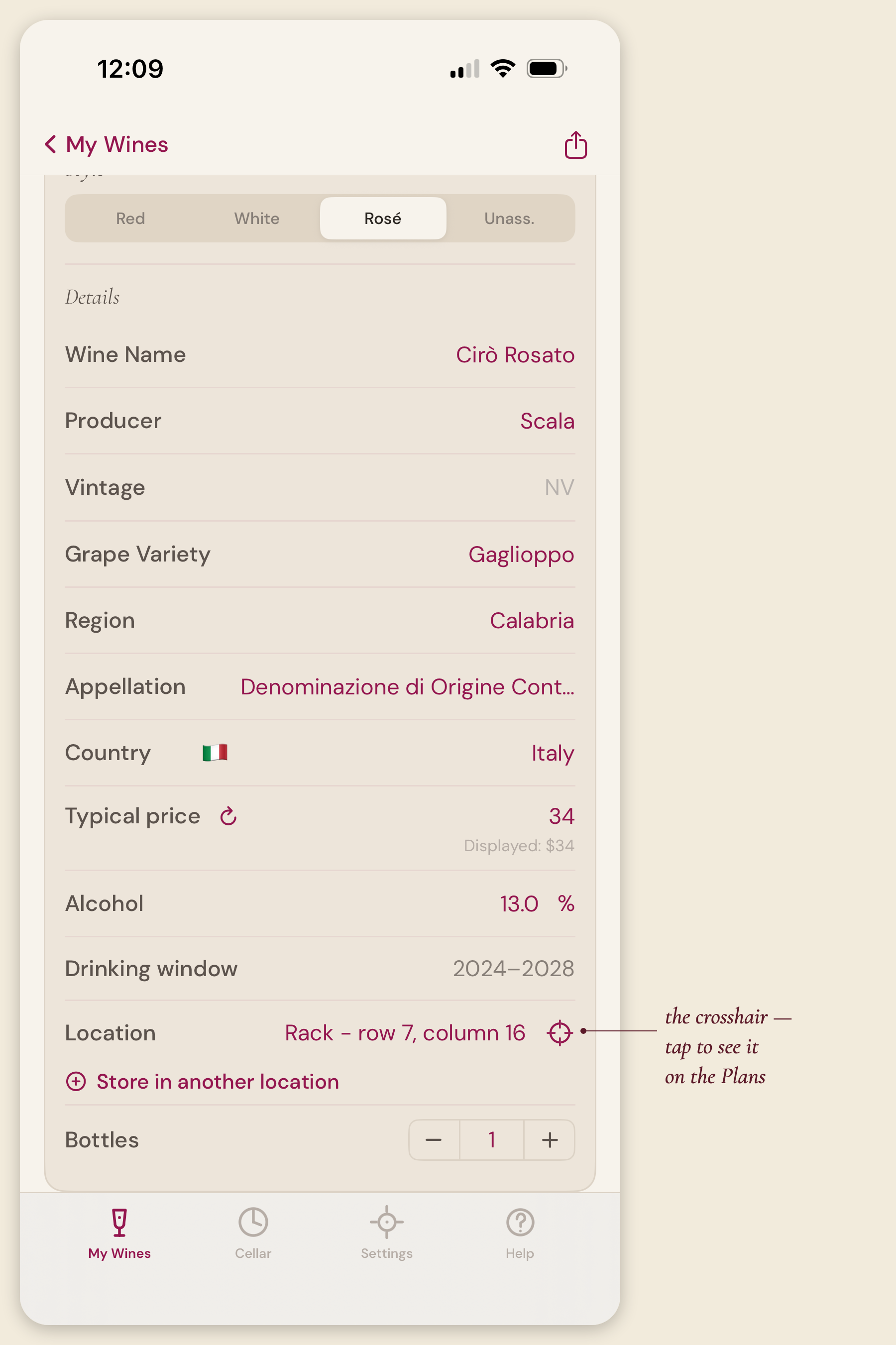
Or go from wine to cellar
Your cellar, located. A drafting sheet for every rack, fridge, and bin — honest to the bottle.
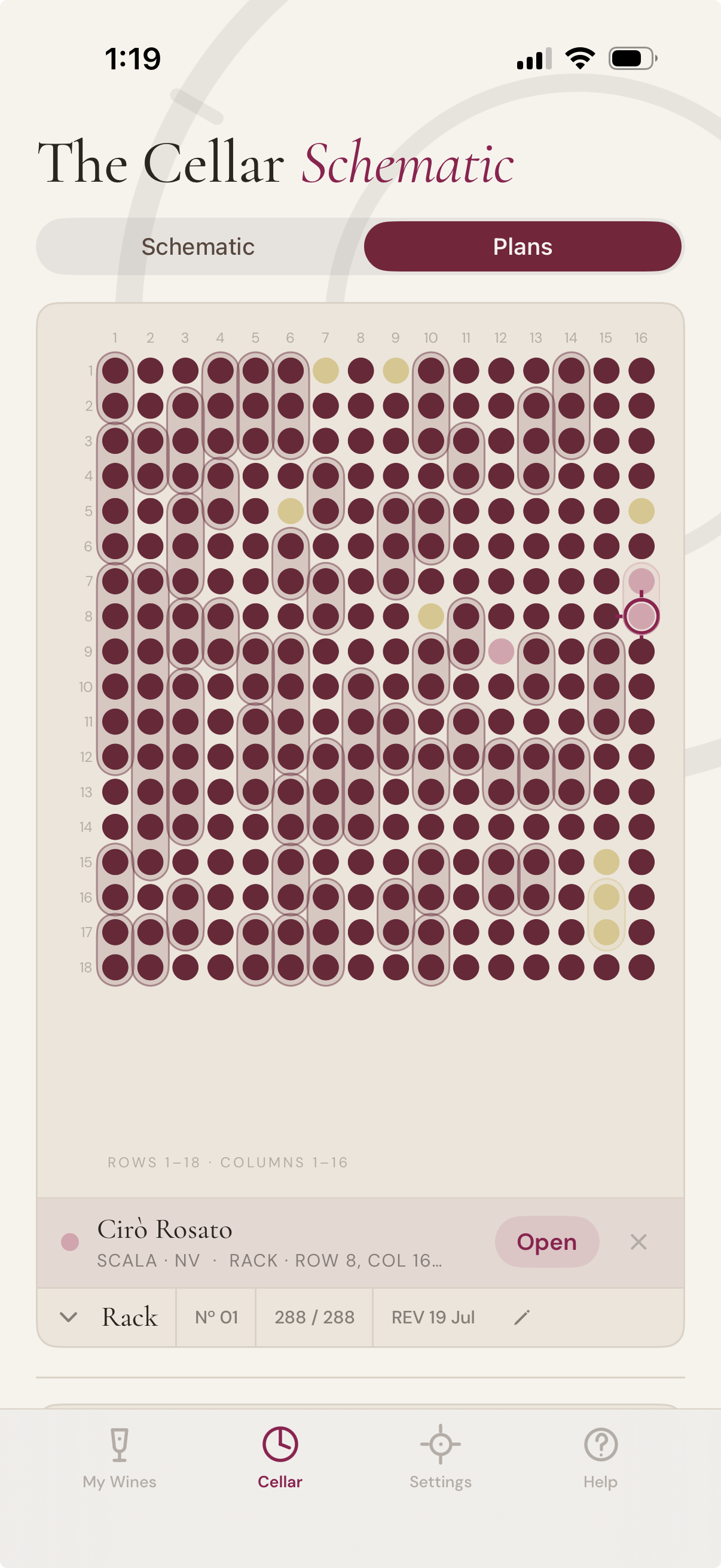
The Cellar tab's second view — the Plans — shows not what you hold but where it lies. Every storage area drawn as a sheet: racks and fridges as grids, bins as numbered compartments, far storage as a tidy manifest — a circle for every bottle, exactly where it sits.
Build your storage up front, or let it appear as you add wines. Use the locations provided, or name places of your own — lay out rows and columns, and drag your most-used storage to the top. Your layout follows you across iPhone and iPad.
Tap any circle on a drawing to see which wine it is — or go the other way: tap the crosshair beside any wine and the Plans open with its exact spot marked. Runs of the same wine read as one holding. Fill an empty rack slot by tapping it — scan or type the wine straight into place.
No account, no AI required. Like everything else, your Plans live in your own iCloud or device.
A wider world
See where your cellar comes from
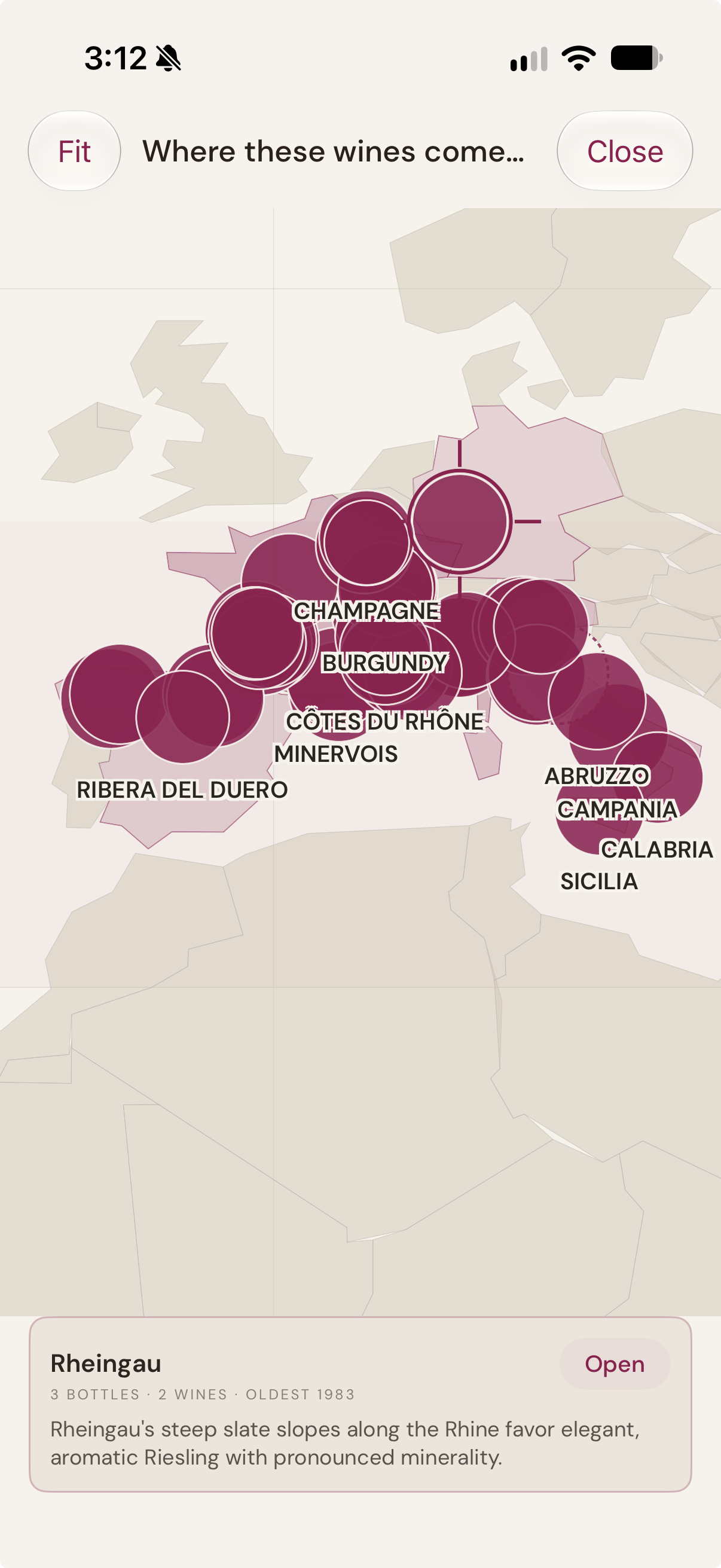
Tap a region
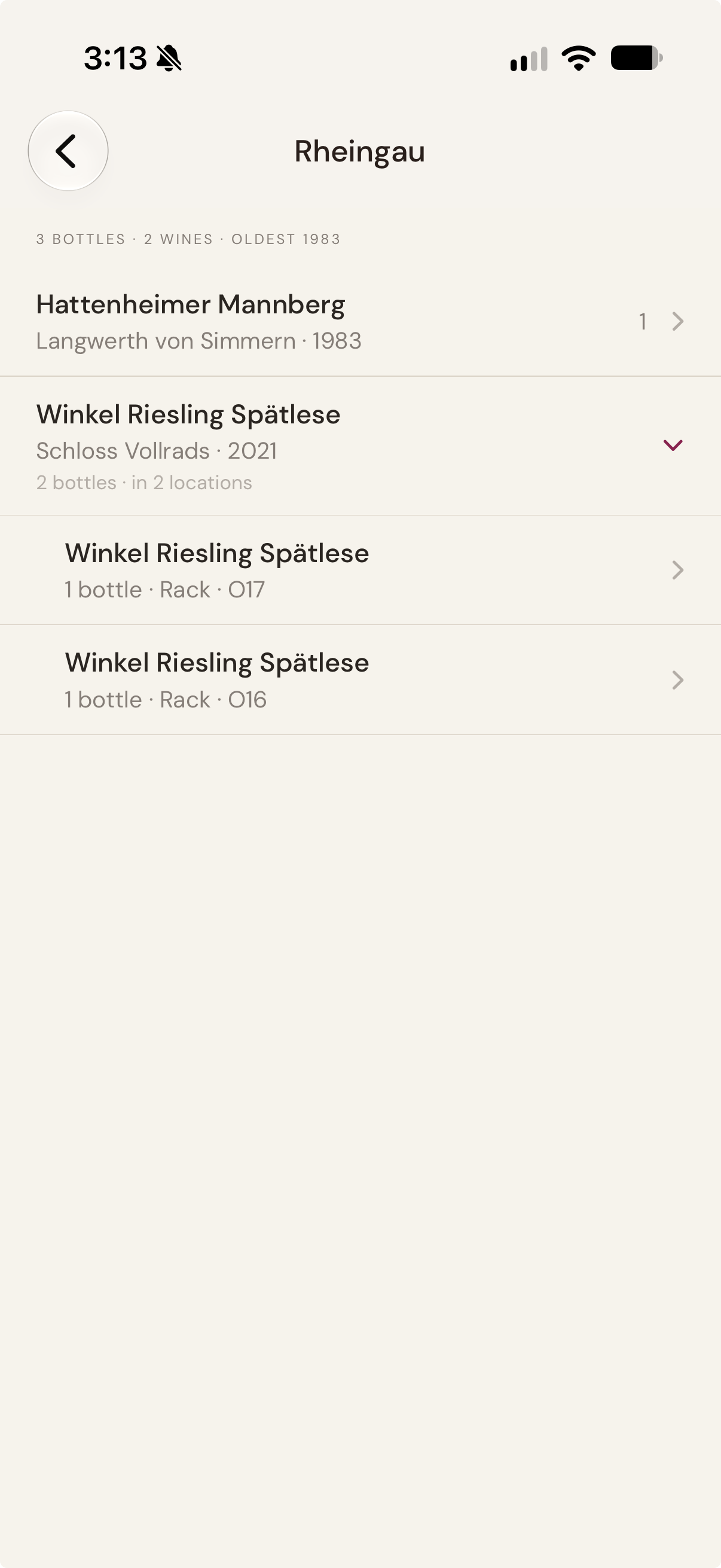
See what you hold there
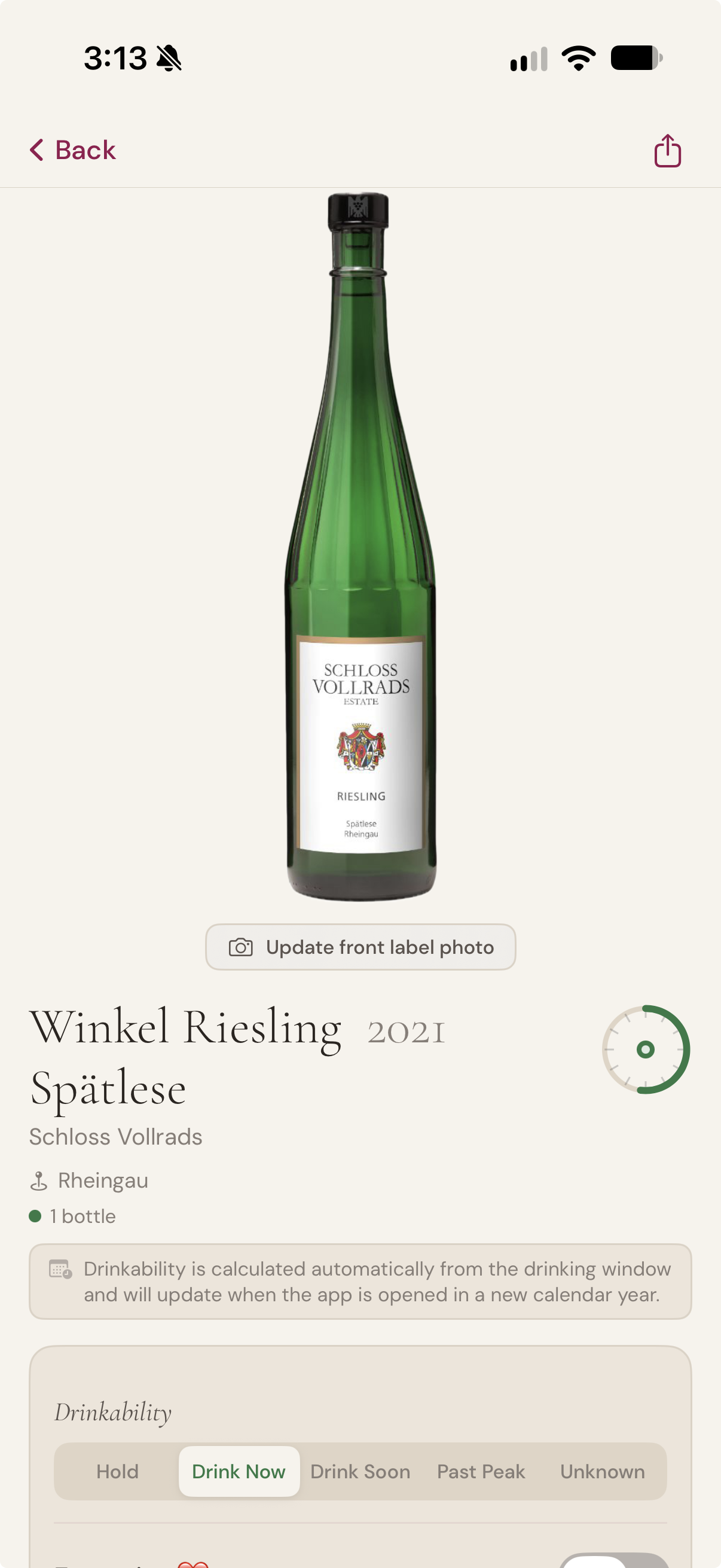
Down to the bottle
Your cellar, placed. Every region you hold, drawn to size.
A world map that plots your collection rather than listing it. Each mark is a region you hold, sized by the bottles in it — so the shape of your cellar shows before you have read a single name.
Tap a region and it tells you what you have there: bottles, distinct wines, and the oldest vintage. Open it for the wines themselves. A wine held in more than one place says so, and takes you to each spot — so the map runs on into the Plans. Open a wine and you are at the bottle. Then back to the map.
Regions are matched against a built-in atlas of 834 wine regions under 7,060 names across 38 countries, so the words on the bottle are what place it. The regional and nationwide designations many labels carry instead of a region — South Australia, Vin de France, Western Cape, Valle Central, Terre Siciliane — are recognised too.
The map and the atlas need no account and no key. The written note on a region is an optional AI feature, on your own OpenAI account — the map works without it.
In motion
A minute with the app
A short walk through scanning a label, asking the Virtual Sommelier for a pairing, and arriving at the Cellar Schematic. No narration to wade through.
Your cellar, your cloud, your call
Plain about price. Plainer about your data.
One purchase, no surprises.
The Cellar Schematic is a single, one-time purchase — US$14.99, with local pricing set by the store in your country. About the price of one decent bottle, for the app that looks after all of them. No app subscription. No premium tier. No upsell. No tracking. No analytics of our own. No data resold.
On iPhone and iPad, your wines, notes, photographs, and shared cellars live in your own iCloud account on iPhone and iPad — and on the device itself on Android, with backups you export and keep, or let Android back up to your own Google Drive. Never on our servers.
The Cellar Schematic syncs across your Apple devices the way Apple intended: no account to create, and no server of ours in between. And wherever you run the app, we don't run a server that holds your collection — so we can't sell, mine, or analyse what we can't see.
You have the option to use AI for label recognition, the Virtual Sommelier, and the Virtual Concierge. Rather than build that into the app, we ask you to connect your own OpenAI account in Settings — your usage stays between you and OpenAI, and we never see it.
No app subscription · Your data, your devices · Scanning needs no key
Connecting AI to your cellar
The Cellar Schematic uses AI to read your wine labels, answer questions about your collection, and fill in what an imported cellar arrives without. Those features run on your own OpenAI key — a short, one-time setup. This page shows you how, in about five minutes.
Why your own key
Most apps that use AI charge you a monthly subscription and keep the arrangement to themselves. We'd rather you owned it.
You pay for what you use, and nothing else. A label scan or a question to the Sommelier costs a fraction of a cent. Most people spend well under a dollar a month, and if you don't use the AI features, you pay nothing at all.
Your key stays on your device. On iPhone and iPad it's held in the iOS Keychain. On Android it's encrypted with a key held in the Android Keystore — hardware-backed on devices that provide it. Either way it never leaves your device except to talk to OpenAI, it's never synced between devices, and it never reaches us. We don't hold it, can't see it, and don't have a copy to lose.
Your cellar isn't ours to monetise. Nothing about your wines passes through our servers. The app talks to OpenAI directly, on your account, under your control.
You can end it in a moment. Revoke the key at OpenAI and the AI features simply stop. Everything else in the app carries on exactly as before.
What it costs
OpenAI bills you directly, for usage. To give you a sense of scale: scanning a label, asking the Sommelier what to open, or completing the details of an imported wine each cost a fraction of a cent. Looking up current market prices costs a little more — a few cents per wine — because each one is searched for individually, and the app tells you the estimated cost before it starts.
US$5 of credit lasts most people a very long time.
One thing worth knowing: a ChatGPT Plus subscription does not cover this. The API is billed separately. It's the single most common thing people trip over, and it catches almost everyone the first time.
Watch it done
Recorded August 2026. OpenAI occasionally changes the look of their site; the steps stay the same.
Or read it
Create an OpenAI account. Go to platform.openai.com and sign up or sign in. This is OpenAI's developer platform — separate from the ChatGPT app you may already use.
Add a small amount of credit. On the platform, open Settings → Billing and add credit. US$5 is plenty to start with.
Create your key. Open the API keys page, choose "Create new secret key", name it "The Cellar Schematic", and create it. Copy it straight away — OpenAI shows it only once.
Paste it into the app. In The Cellar Schematic, go to Settings → OpenAI API Key, paste, and tap Save.
The app checks the key for you the moment you save it, and tells you exactly what it found — whether it's working, whether the account still needs credit, or whether the key didn't come across in one piece. You'll know straight away, rather than finding out later.
If something doesn't look right
Open Settings → OpenAI API Key and tap Check my key. It'll tell you which of these it is:
Working — you're set; the AI features are ready.
No credit yet — the key is fine, the account just needs topping up. (This is usually the ChatGPT Plus mix-up.)
Not recognised — the key didn't arrive in full. Keys are long and begin sk-; copy the whole thing and paste it again.
Couldn't be reached — a connection problem rather than a key problem. Try again when you're back online.
Still stuck? Email us at support@thecellarschematic and we'll sort it out with you.
What works without a key
Scanning a label needs no key. On an iPhone or iPad that supports Apple Intelligence the reading happens on the device; on Android the camera reads the label on its own — and in both cases the photograph never leaves your phone. If you connect a key, it is used for scanning in preference, and the photograph goes to OpenAI. Typing a wine in draws on the same knowledge: producer, wine and vintage are enough, and where Apple's private cloud is available the region, grape and colour are completed for you.
Everything else that isn't AI works without a key: adding wines by hand, organising your cellar, laying out racks and fridges in the Plans, the world map, drawing and sharing your Cellar Schematic, your wine log, and backup and restore.
The key adds the Virtual Sommelier, the Virtual Concierge, tasting notes, critics' summaries, retailer lookups, and the tools that complete an imported cellar.
Open your cellar
Available on iPhone, iPad and Android.
One cellar book, both platforms.
US$14.99, charged in your local currency.
A one-time purchase. No app subscription. Optional AI features connect to your own OpenAI account.
Google Play and the Google Play logo are trademarks of Google LLC.
The Cellar Schematic™
Last updated: 1 October 2026
The Cellar Schematic is a personal wine cellar app, designed and operated as an independent product. This policy explains what data the app handles, where it lives, and what we do — and do not — see. It covers both the iPhone and iPad app and the Android app; where the two differ, the difference is stated.
The short version: we don't collect, store, or analyse your personal information. Your cellar stays in your own hands — in your iCloud account on Apple devices, and on the device itself on Android. The optional AI features call OpenAI directly using a key you supply. We have no servers handling your wines, your photos, your notes, your usage, or anything else about you.
Information we don't collect
We do not collect, store, or receive:
Your name, email address, billing details, or any account information
Your location, device identifiers, advertising identifiers, or any analytics
Your wines, photos, tasting notes, ratings, prices, or sharing activity
Your buying activity — what wines you search for, which retailers you tap, which products you click through to, or which wines you flag on your buying list
Any usage data, crash reports, telemetry, or behavioural information
The app contains no advertising or tracking SDKs, and no analytics of our own, on either platform. On Android, the label reader that works without an OpenAI key is Google's ML Kit, which sends Google its own performance metrics — see The label reader on Android, below. Your purchase of the app is handled entirely by Apple or by Google, under their own terms.
The label reader on Android
On Android, wine labels are read on the device by Google's ML Kit text recognition. Your photographs, and the text read from them, stay on the device: ML Kit processes them on the phone and does not send them to Google.
ML Kit does send Google metrics about how the reader itself is performing — the device's manufacturer, model and Android version, the app's version, an installation identifier that is not intended to identify you or your device, settings such as the image size it was given, how long a reading took, and any error codes. Google uses these to measure ML Kit's performance, to maintain and improve it, and to detect misuse. They are sent encrypted, Google does not pass them to anyone else, and we never receive them. They are governed by , and they are listed in the app's data safety section on Google Play.
Where your cellar data lives
On iPhone and iPad. All of your cellar data — wines, tasting notes, photos, drinking windows, storage locations, vault entries, buying list flags and any shared-cellar participants — is stored in your own iCloud account using Apple's CloudKit framework. It syncs between your Apple devices through Apple's iCloud infrastructure. iCloud sync is governed by .
On Android. All of your cellar data is stored in a private database on the device itself. There is no cloud sync: the Android app does not copy your cellar to any service of ours, and cellars do not sync between your Android devices.
Because the app permits Android's standard system backup, Android may include the app's data in the automatic backup it makes to your own Google Drive, if you have that turned on for your device. That backup belongs to your Google account, is governed by , and is not visible to us. You can turn it off in your device's Settings, under System → Backup. If you have it off, your cellar exists only on the device, and uninstalling the app removes it.
On both platforms we have no servers that hold your cellar. We cannot see your wines, your notes, your photos, your buying activity, or who you share with.
Backups you make yourself
The app can export a full backup of your cellar — including label photos — as a file. That file is written wherever you choose to save it, and from that point it is yours to manage: anything you do with it, such as putting it in a cloud drive or sending it to yourself, is outside the app and outside this policy. The export never passes through us.
The AI features and OpenAI
Several features in the app use AI from OpenAI: label scanning, completing a typed-in wine's details, finding a wine's label image online, the Virtual Sommelier, the Virtual Concierge, the where-to-buy panel, similar-wine suggestions, and buying-list sourcing.
Label scanning is the one that can run without OpenAI. On an iPhone or iPad that supports Apple Intelligence, and on Android, the label is read on the device itself and the photograph does not leave it. If you have connected an OpenAI key, that key is used in preference - the photograph is then sent to OpenAI in the way described below. On earlier Apple devices, label scanning always uses your key.
On an iPhone or iPad running iOS 27 or later that can use Apple's Private Cloud Compute, and with no OpenAI key connected, the app can also fill in details a label does not print - such as the region, grape and colour - by sending the wine's producer, name and vintage to Apple's server model. The app sends only that text: never the photograph and never your location. The same applies when you complete a typed-in wine's details without a key, using the producer, name and vintage you typed. that data processed in Private Cloud Compute is not stored or made accessible to Apple, and is processed only to fulfil your request. We never receive these requests or their answers.
The OpenAI features require you to supply your own OpenAI API key. On iPhone and iPad the key is stored in the iOS Keychain on the device where you entered it. On Android it is stored on that device encrypted with an AES-256-GCM key held in the Android Keystore, hardware-backed where the device supports it. On neither platform is the key transmitted to us, and on neither is it synced to your other devices.
When you use one of these features, your request — the label image, your Sommelier question, or your Concierge question — is sent directly from your device to OpenAI for processing. The response comes back to your device.
For the three buying features, each request sent to OpenAI includes the wine's identity (producer, name, vintage), your chosen currency, and a city name derived from your current location at the moment of the request. The city is used for that query and not stored. We do not see the request, the city, or the response.
When you complete a typed-in wine's details or find its label image online, the wine's identity you entered (producer, name, vintage) is sent to OpenAI — to look up the details, or to locate pages showing the label. No location is involved in either case.
We are not in that loop. We do not see your requests or responses. Your data is handled by OpenAI under , and you are OpenAI's customer for billing purposes.
If you do not add an OpenAI key, nothing is sent to OpenAI, and the only features that run are the ones described above as working without it.
Finding a label image online
When you use "Find label online," OpenAI's web search returns links to pages that show the wine. Your device then requests those pages, and the label image on them, directly from the third-party websites — the same kind of request a web browser makes when you visit a site. Those sites see an ordinary web request (such as your IP address and browser identifier); we don't add tracking, and we never receive the page or the image. The image is shown to you for approval and, only if you accept it, saved with your cellar. You are responsible for ensuring you have the right to use any image you add.
Permissions the app requests
Camera — when you tap Scan to photograph a wine label.
Photos — only if you choose to use an existing photo instead of the camera. On Android the app uses the system photo picker, which needs no permission and gives the app only the single image you pick; it never has access to your photo library. On iPhone and iPad the app asks for photo library access for the same purpose.
Location (while using the app) — used in two places:
When you log a tasting note or a pour entry on a wine, the app turns your current position into a readable place name so you can later remember where you opened a bottle. On Android this uses the approximate-location permission and records a place name at city level (for example "Neutral Bay, New South Wales, Australia"). On iPhone and iPad the place name may be more precise, down to a street address.
When you use a buying feature (where-to-buy, similar-wine, or buying-list sourcing), the app converts your position into a city name (for example "Sydney") that is sent to OpenAI for that query only.
Neither usage stores raw coordinates. The place name from the first path is stored as text on that entry only, and you can edit or delete it at any time. The city name from the second is used per query and not retained. The app does not track your location in the background.
You can grant or revoke any of these at any time — on iPhone and iPad in Settings → The Cellar Schematic, and on Android in Settings → Apps → Cellar Schematic → Permissions.
Cellar sharing
Cellar sharing is a feature of the iPhone and iPad app. When you share a cellar with another person via iCloud, that sharing happens through Apple's CloudKit Sharing. Apple manages the share invitation and the participant access. We do not see the share, the participants, or the cellar contents. Each shared participant uses their own OpenAI API key for AI features — keys are not shared.
The Android app does not currently offer cellar sharing.
Vivino and CellarTracker imports
If you import wines from Vivino or CellarTracker, the import reads a CSV file that you export and place on your own device. The app processes that file locally; nothing is sent to Vivino, CellarTracker, or any other service. We are not affiliated with either company.
Retailers and the buying features
The buying features show you current retailers via OpenAI's web-search results. We do not have affiliate relationships, referral arrangements, or revenue-share agreements with any retailer. We do not receive a commission, a referral fee, or any other payment when you tap a retailer link or when you purchase a wine you found through the app. The retailer's product page opens in an in-app browser using only the URL OpenAI returned — we do not add tracking parameters, referral codes, or analytics tags to the link. What the retailer sees is whatever they would see from any ordinary web visit.
The price you see in the buying-features panel is the retailer's listed price as found by OpenAI's web search. We don't mark it up, mark it down, or filter retailers based on any business relationship. Rankings are by stock availability and price only.
Children's privacy
The Cellar Schematic is intended for adults. The app does not knowingly handle data from anyone under the age legally permitted to consume alcohol in their jurisdiction. The app is rated for adults on both the App Store and Google Play, in line with this.
Changes to this policy
If we make material changes to this policy, the updated version will appear here with a new date. If you continue using the app after the new version is posted, you are agreeing to the updated terms. If you don't agree, you can stop using the app — your cellar data stays where it has always been, in your own iCloud account or on your own device, and is yours to keep regardless.
Contact
For privacy questions or anything else, write to contact@thecellarschematic.com. For help with the app, support@thecellarschematic.com. Both inboxes are read by a real person.
With thanks
The Cellar Schematic was shaped by a number of generous collectors - D Cobelli · P Don · W Eadie · R James · I McLoughlin · A Oakes · D Taylor · J Teh